CWCShowcase
Assigning Prizes
This guide covers how an Admin assigns specific prizes (cash or trophies) to competition categories using the Setup Judging list in the Judging module.
1. Accessing Setup Judging
- From the Main Menu, select the Judging module.
-
Select Setup Judging from the submenu.
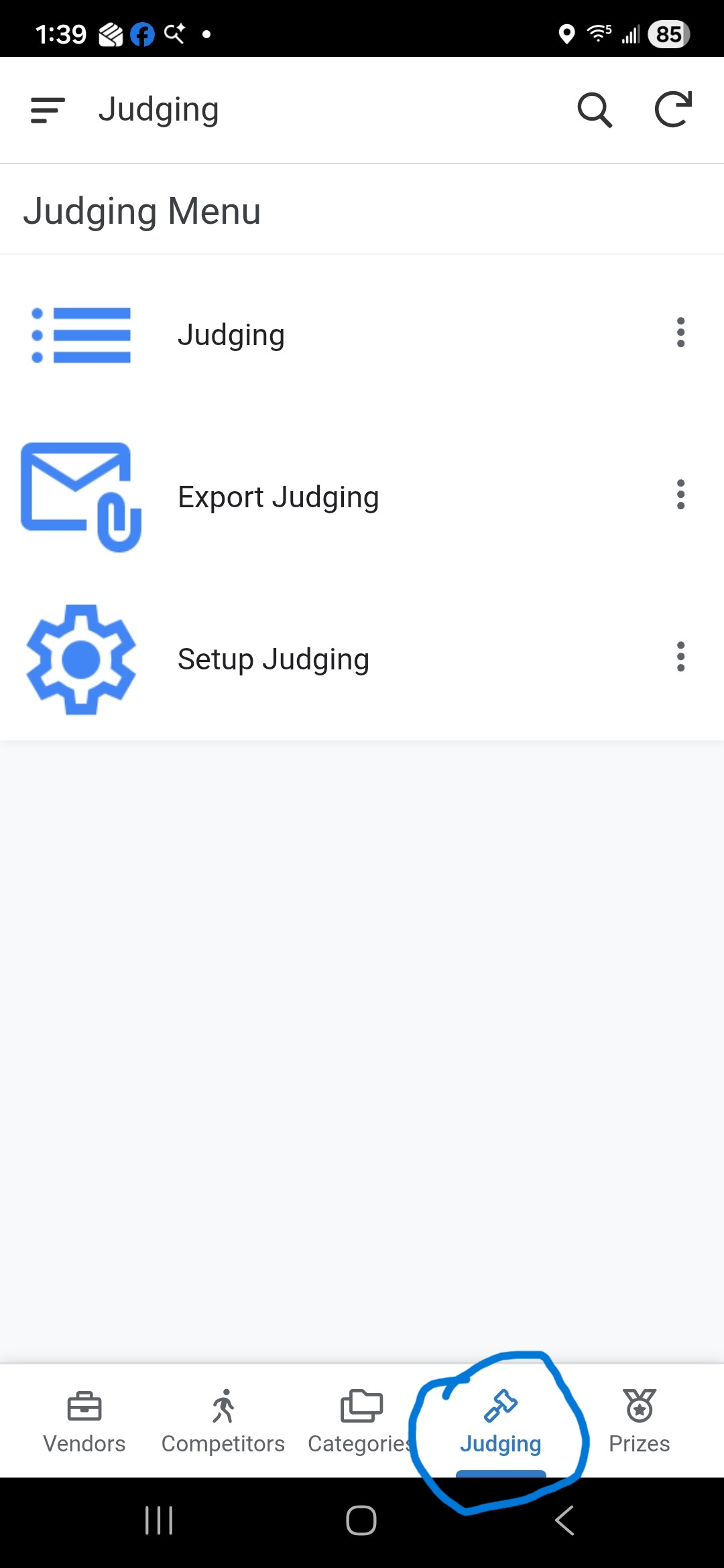
2. Finding the Category
- The list displays all competition entries (Division/Category/Style).
- Use the Search Bar to find the specific category that needs prize assignments.
- You can also use Filtering to narrow down the list by Division or Category.
3. Assigning Prizes
- Once you locate the entry, click the Row to open the Detail View.
-
Click the Pencil Icon to open the edit form.
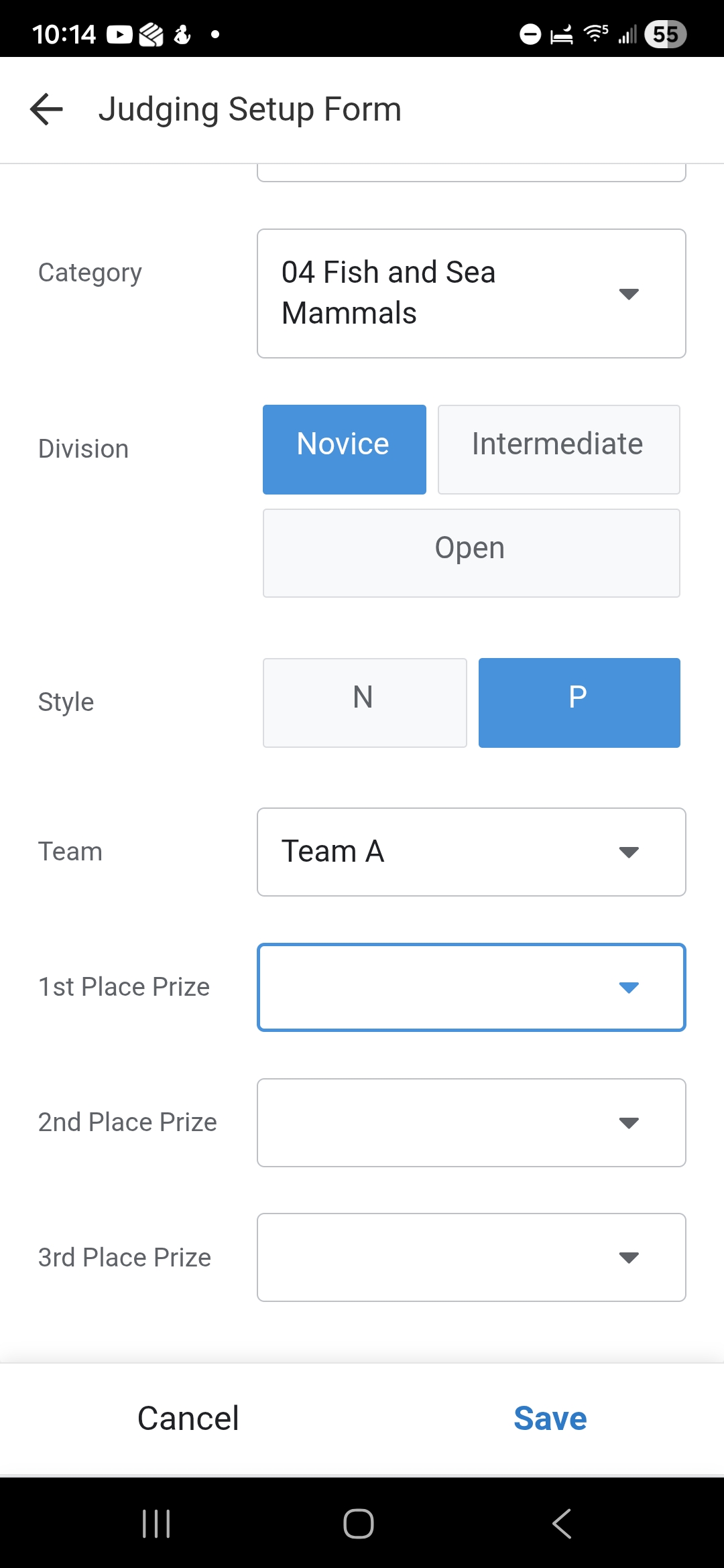
- Prize Assignments:
- Find the 1st Place Prize dropdown and select the appropriate award.
- Repeat for 2nd Place Prize and 3rd Place Prize if applicable.
- You can search within these dropdowns to find specific prizes (e.g., “Best of Show”, “1st Place Ribbon”).
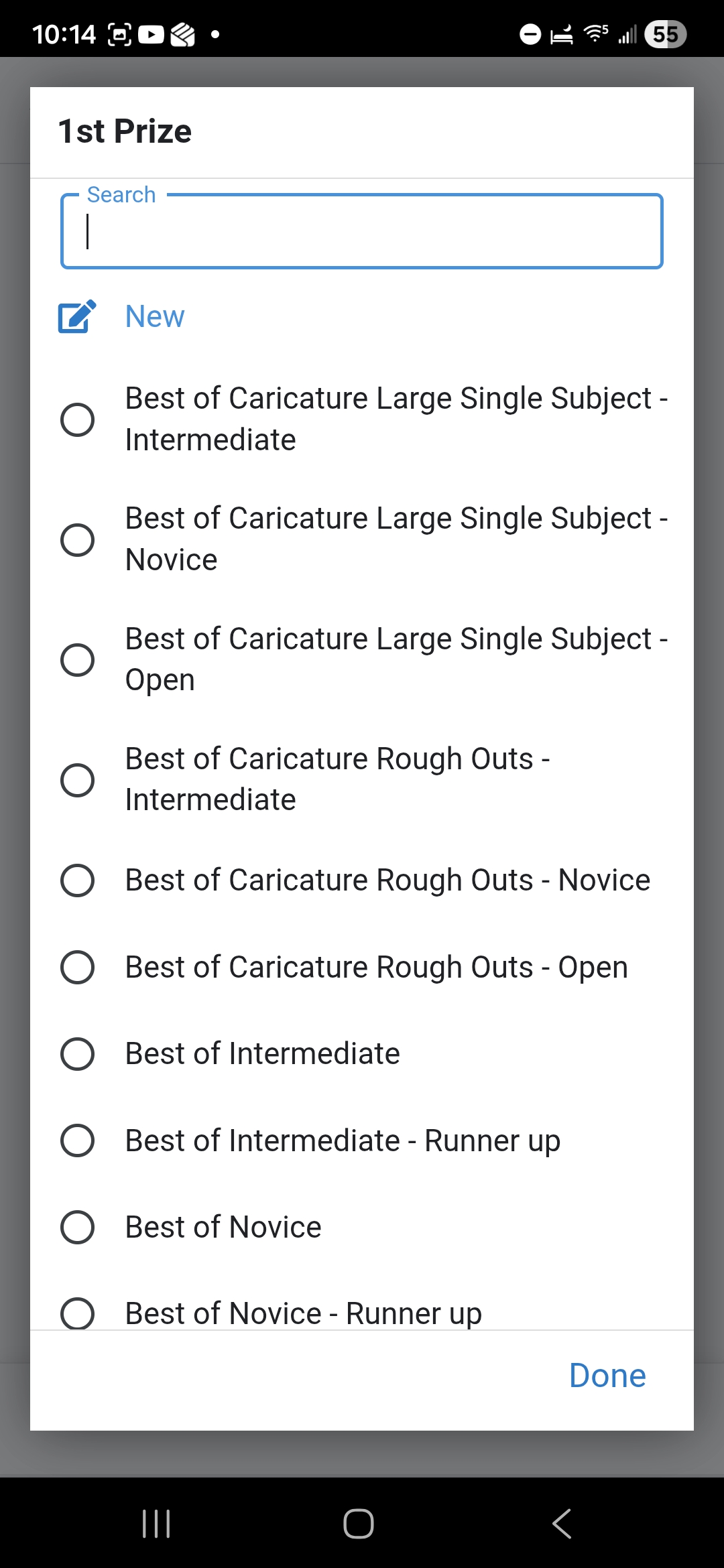
- Save: Click the Save button to commit the changes.
- Note: The form will close immediately without a confirmation message.
4. Verification
After saving, the assigned prizes will be visible in the Detail View for that category. These assignments ensure that when the Judging Team selects a winner, the correct prize is automatically associated with their placement.